AdCiao · La Dolce Navigazione
Less noise. More dolce vita.
A cleaner, calmer browsing experience. Beautifully simple.
Windows release in preparation No download yet — this page will say when there is one.

Real capture of the AdCiao popup (development build, Chrome) over an illustrative page
01 · Before / after
The same page, without the shouting.
Move the divider to compare a crowded page with a calmer one. This is an illustration of the idea — not a benchmark, and not a real website. What AdCiao removes on a real page depends on the site and on the rules in use.
Drag the divider, or focus it and use the arrow keys.
Illustration · invented placeholders, no real ads or websites
02 · Why AdCiao
Quiet by design. Clear about what it does.
-
Fewer ad requests
AdCiao asks your browser to block requests to ad and tracking servers, using the browser’s own request rules for extensions (Manifest V3). The blocking happens on your device.
-
Leftover spaces, tidied
Where an ad was blocked, the empty frame often stays behind. AdCiao hides those leftover elements so the page reads like a page again.
-
Your call, site by site
Pause AdCiao on one site for an hour or until you resume, or pause it everywhere — straight from the toolbar. In Settings, always allow the sites you trust.
-
Local-first, no account
AdCiao Free works without an account. Your choices are kept in your browser.
-
Global Privacy Control, if you want it
Turn on GPC to tell the sites you visit that you don’t want your data sold or shared. It is off until you turn it on, and it needs access to the sites you visit.
HonestNo blocker can promise to remove every ad. When AdCiao’s protection is reduced on a page — for example because it may not access that site — it says so, plainly.
03 · A little more control
Two screens. Nothing to decode.
The toolbar popup answers one question — is this page protected? — and offers the two pauses you actually need. Settings collects the rest: the sites you allowed, site access, filter-list language and Global Privacy Control.
- The status says exactly what is active, paused or reduced — in words, not just colours.
- Every control works from the keyboard and follows your system’s light or dark mode.
- No counters, no badges begging for attention.


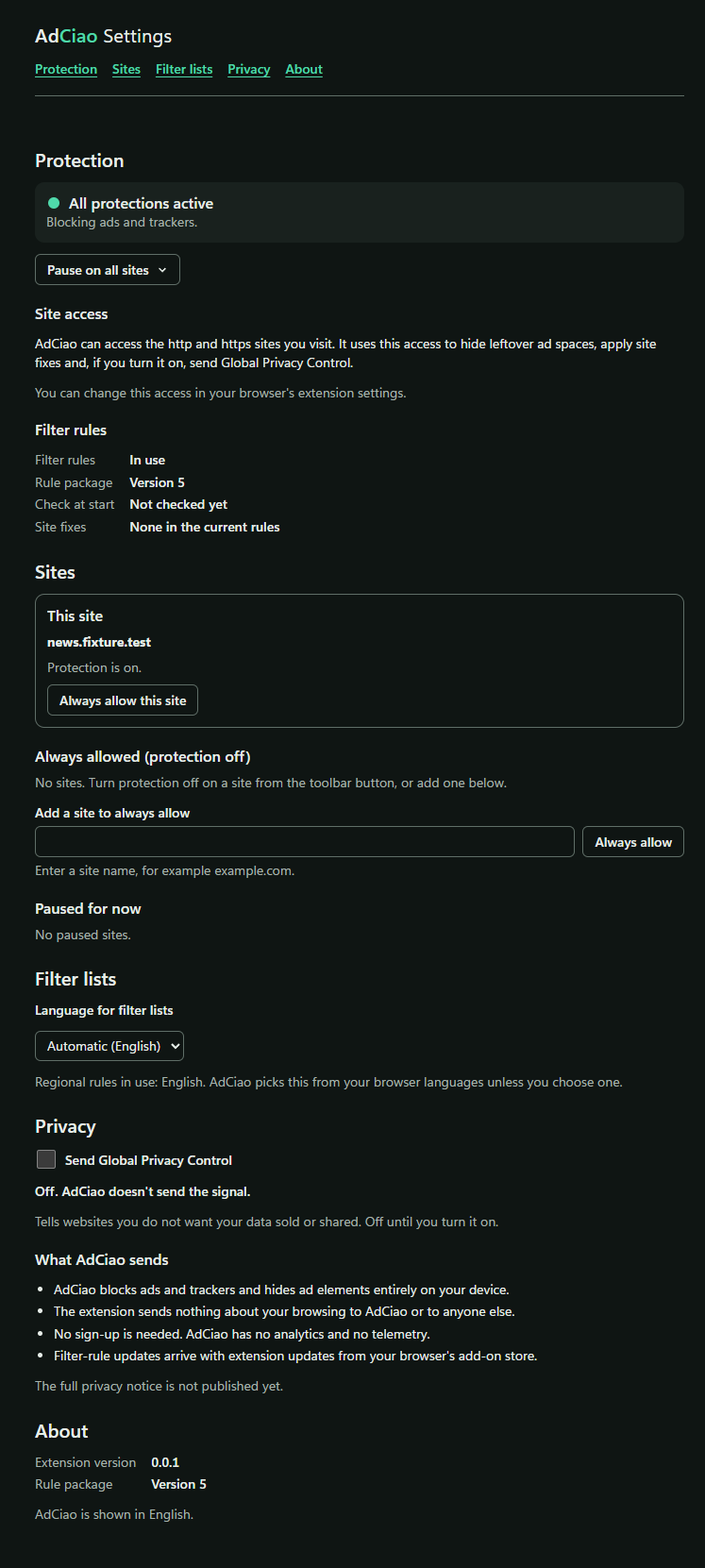
Real captures of the development build (Chrome, dark mode, on a test page)
04 · Privacy by design
What stays with you, stays with you.
-
No account
AdCiao Free does not ask you to sign up, and there is no account behind it.
-
No traffic of its own
In the scenarios we tested on Chrome, Edge and Firefox — browsing, blocking, pausing and resuming, and changing settings — the AdCiao Free extension made no network requests of its own. The same held while using its popup and settings page in Chrome and Edge.
-
Kept on your device
Your pauses, the sites you allowed, your Global Privacy Control choice and the filter-list language are stored locally by the extension in your browser.
These statements describe the AdCiao Free browser extension only, not this website. The extension’s full privacy notice will be published before the release. How this website handles data: website privacy notice.
05 · Platforms
Starting where you browse most.
-
In preparation
Windows
A browser extension for Google Chrome, Microsoft Edge and Mozilla Firefox. No download yet and no date announced.
-
Coming soon
Mobile
Not available yet.
-
Coming soon
TV
Not available yet.
06 · Questions
Short answers.
Is AdCiao free?
The browser extension is being prepared as AdCiao Free. It works without an account. Nothing is for sale on this site.
Which browsers will it work with?
Google Chrome, Microsoft Edge and Mozilla Firefox on Windows. AdCiao is built on each browser’s standard platform for extensions (Manifest V3).
Why does AdCiao ask for access to the sites I visit?
Blocking requests works without it. Site access lets AdCiao hide the empty spaces that blocked ads leave behind, apply its own small fixes on the pages you open and, if you turn it on, send Global Privacy Control.
On Firefox you can withhold this access. AdCiao then tells you which parts are reduced.
Does AdCiao see what I browse?
The extension decides on your device which page elements to hide. In our tests on Chrome, Edge and Firefox, the AdCiao Free extension sent nothing — not your browsing, not anything else — to AdCiao or to third parties.
Will it block every ad?
No blocker can honestly promise that. AdCiao uses filter rules that ship with the extension, and it tells you when protection on a page is reduced.
When can I install it?
The Windows release is in preparation. There is no download yet and no date has been announced.